REVIEW · MOAB
Utah Mighty 5 National Parks Self-Guided Driving Audio Tours
Book on Viator →Operated by Guide With Action · Bookable on Viator
Five parks, one car, and audio that follows you. This self-guided GPS audio tour is built for the real rhythm of a road trip: you drive, the stories trigger as you near points of interest, and you can keep going without hunting for Wi‑Fi. I especially like the offline access for the app (so no signal stress) and how the narration gives practical context for what you’re actually seeing, not just random facts.
My one caution: the experience depends on setup working smoothly. You have to download while you have strong connectivity, and if you start at the wrong place or the app misfires, you’ll feel it right away—one reason the rating dips for a few people.
In This Review
- Key highlights that make this tour work
- Utah’s Mighty Five, stitched together for a road-trip pace
- Price and what $32.99 per group really buys
- App setup: do it once, then enjoy the no-signal drive
- How GPS-triggered audio keeps you moving (and when it can annoy you)
- Zion National Park: two driving routes and a story-led loop
- Arches National Park: 50+ miles of stops built for short decisions
- Canyonlands National Park: big overlooks plus an optional Needles District style loop
- Bryce Canyon: hoodoos on a story schedule
- Capitol Reef: history stops you can pair with easy detours
- Who should choose this self-guided Mighty Five audio tour?
- Quick self-check before you book
- Should you book the Utah Mighty Five self-guided driving audio tours?
- FAQ
- How much does the Utah Mighty Five self-guided driving audio tour cost?
- Where does the tour start or end?
- How long does it take?
- Does it work offline in the parks?
- Does the audio play automatically when I reach places?
- What do I need to connect the audio to my car?
- Are park passes included?
- Is there an admission ticket cost for the stops?
- How do I start the tour once I’m onsite?
- Can I use the tour more than once?
- What hours is the experience available?
Key highlights that make this tour work

- GPS-triggered audio in your car so you don’t constantly tap for info
- Offline maps after download for Utah’s low-signal stretches
- Pay once per group (up to 4), which can make the value much better than per-person options
- A stop-by-stop guide across Mighty Five parks with quick orientation points
- Hands-free pacing: start when you want, pause for photos, snacks, and short walks
- Lifetime access, no expiry so you can reuse the same parks on another trip
Utah’s Mighty Five, stitched together for a road-trip pace
Utah’s Mighty Five are famous for a reason, but doing them without a plan can burn time. This tour is interesting because it turns that big, intimidating list of parks into a driveable sequence of “go here, look at this, then move on” moments. It’s not a bus tour. It’s more like having an organized friend in the passenger seat who talks at the right time.
I like that you can treat it as a one-day push or stretch it across several days. The app lets you start and pause freely, so you can slow down for viewpoints or speed up if a stop doesn’t grab you. And since it’s private for your group, you’re not waiting for anyone else’s pace.
Other self-guided audio tours we've reviewed in Moab


Price and what $32.99 per group really buys

The cost is $32.99 per group (up to 4). In practical terms, that means your per-person cost drops fast if you’re traveling with a carload of people. If you’re solo, it’s still a budget-friendly way to get storytelling and route structure for five parks without paying for multiple guided tours.
Two financial notes to keep your expectations aligned:
- Park passes are not included, even though the tour includes stops inside the parks. You’ll still need whatever entry fees apply when you arrive.
- Some people buy this for only one or two parks and still feel they got value. That’s possible because the app covers multiple parks—but you still want to spend time in at least one or two places to really benefit from the narration.
App setup: do it once, then enjoy the no-signal drive
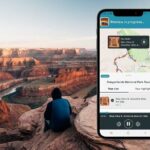
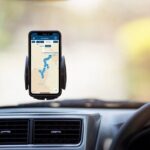
This tour uses a dedicated app called Action’s Tour Guide App. After booking, you get an email/text with instructions and a password. The biggest “do this right” step is download timing: you must download the tour while you have strong Wi‑Fi/cellular. After that, it works offline.
For audio in the car, the tour is designed to play through your phone connected to your vehicle via Bluetooth, USB, or AUX. The app is also compatible with Apple CarPlay, with Android Auto support on the way. If you plan to walk to viewpoints, you’ll likely appreciate headphones too, but the tour can still work through the car system.
If you’re the type who hates tech setup, here’s a practical strategy: do the download at home or at a hotel before you drive into the parks. Then, once you’re onsite, you can focus on parking and starting the correct tour version at your planned starting point.
How GPS-triggered audio keeps you moving (and when it can annoy you)

The app uses your phone’s location to play audio “stories” as you approach stops. In the best case, it feels hands-free: you hear the next point as you arrive and you don’t need to scroll menus while driving.
That said, GPS-triggered tours have one built-in sensitivity: you need to be near the suggested starting point and follow the tour route and posted speed limits. If you wander too far off route, the timing can get out of sync.
From the feedback I’d treat as a real-world warning, I’d plan for two things:
- If audio ever feels off, you may need to restart or re-open the correct tour version for your direction.
- It’s smart to bring a charged phone and keep the app open long enough for each stop sequence.
Also, there’s a small annoyance item: some people report being prompted by emails to rate the trip. That’s not a dealbreaker, but it’s good to know it may happen.
Zion National Park: two driving routes and a story-led loop

Zion is the park where the views hit fast. This tour’s Zion portion is designed around a choice: you can go one direction—starting near the Springdale Visitor Center and working toward the East Entrance—or do the reverse route. Same park, different flow, one “unique experience” built into how the audio is arranged.
You’ll move through a solid mix of canyon stops and key Zion landmarks. Expect audio coverage for places like:
- Springdale Visitor Center and Zion Canyon Visitor Center
- Zion Human History Museum
- Canyon Junction Bridge and Court of the Patriarchs
- Emerald Pools and The Grotto Picnic Area
- Weeping Rock and Temple of Sinawava
- The Zion–Mount Carmel Tunnel and Canyon Overlook Trail
- Checkerboard Mesa and the East Entrance Ranger Station
Here’s how this helps you as a driver: the narration gives you context for why certain stops matter, so you’re not just taking pictures—you’re also learning what shaped the canyon walls and routes over time. It’s especially useful if you don’t have the energy to research in advance.
Potential drawback: Zion can involve short hikes to reach viewpoints (places like Angel’s Landing are listed as stops). The app does include hike length info at stops, which helps you decide on the spot. Still, you should judge your time budget and parking situation before committing to longer foot routes.
Other guided tours in Moab



Arches National Park: 50+ miles of stops built for short decisions

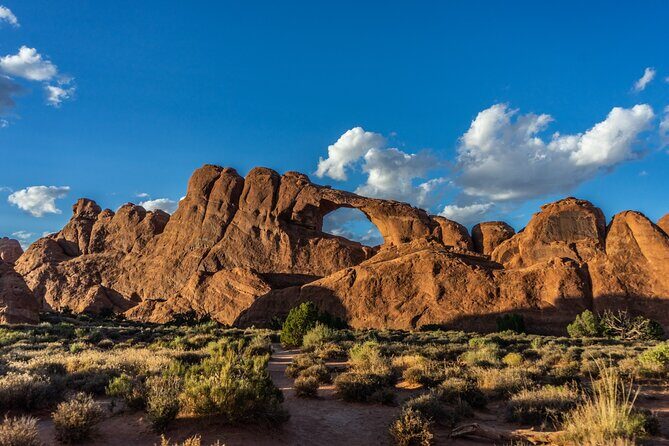
Arches is compact, but it’s packed. This tour’s Arches portion is structured as a driving circuit of 50+ miles and often takes 2–3 hours to complete, depending on how long you stop at each point.
You’ll pass through major landmarks and quick-hit photo targets, including:
- Arches Visitor Center
- Three Penguins and Moab Fault Overlook
- Courthouse Towers Viewpoint and La Sal Mountains Viewpoint
- Balanced Rock Trail and Garden of Eden
- The Windows Road and Double Arch
- Cove of Caves and Panorama Point
- Delicate Arch
- Fiery Furnace, Salt Valley, and Sand Dune Arch
- Devil’s Garden Trailhead
This is one of the parks where stop-by-stop audio can save you from decision fatigue. If you’re wondering what to prioritize at each turn, the narration is designed to point out must-see sights in the moment you’re there. It also calls out practical timing like hike length so you can choose based on your energy, not on guesswork.
Canyonlands National Park: big overlooks plus an optional Needles District style loop

Canyonlands is where “drive farther, see more” becomes the whole game. The tour’s Canyonlands coverage includes an Island in the Sky focus with a classic set of overlooks and named points.
Expect audio at places like:
- Monitor and Merriamac Rock Formations
- Big Mesa Viewpoint, Plateau Viewpoint, and White Rim
- Dead Horse Point State Park
- Island in the Sky Visitor Center
- Shafer Canyon Overlook and The Neck
- Mesa Arch
- Green River Overlook and Upheaval Dome
- Grand View Point Overlook and Murphy Point Trail
Canyonlands is also paired with a Needles District option. If you’re after rock art and a different feel of canyon geometry, this alternative route points to stops such as:
- Newspaper Rock
- Pothole Point
- Wooden Shoe Overlook
Time-wise, the Canyonlands segment is designed to be shorter—around 1 hour for the drive-through coverage—though your real time depends on how many overlooks you actually park and walk to. If you’re doing the whole Mighty Five set, this is a nice breather park in the schedule because it doesn’t demand a full day.
Bryce Canyon: hoodoos on a story schedule

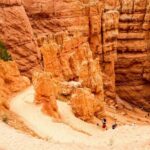
Bryce Canyon is the park where the visuals feel almost impossible until you’re standing there. The tour’s Bryce Canyon driving route is paced for frequent viewpoint stops, with audio that helps you connect what you’re seeing to how Bryce Canyon works.
Stops include:
- Bryce Canyon National Park Visitor Center
- Fairyland Point
- Sunrise Point, Bryce Amphitheater, and Sunset Point
- Inspiration Point and Bryce Point
- Paria View, Swamp Canyon Overlook, and Farview Point
- Natural Bridge, Agua Canyon, and Ponderosa Canyon
- Rainbow Point and Red Canyon Arch
Even if you only have half a day, this route gives you a logical path through the canyon rim areas. The audio helps you understand the views as you’re reaching them, so you don’t feel like you’re just chasing photo spots.
Note: the tour includes multiple points that are close to each other, but you’ll still want to budget time for parking and short walks. The app’s stop notes include hike length info, which is useful when you’re deciding on the fly.
Capitol Reef: history stops you can pair with easy detours
Capitol Reef feels different from the other Mighty Five parks because it mixes dramatic rock scenery with human history. The tour leans into that combination with a driving route that includes landmarks, visitor center stops, and historic sites.
You can expect narration around:
- Twin Rocks and Chimney Rock
- Goosenecks Overlook and The Fluted Wall
- Capitol Reef Formation
- Capitol Reef National Park Visitor Center
- Ripple Rock Nature Center
- Historic District and Fruita Barn
- The Mail Tree and gifford homestead-related stops
- Oyler Mine and sections tied to The Paiute and the Mormons
- Petroglyphs and Hickman Bridge Trail
- Capitol Dome and Grand Wash Trailhead
- Conclusion (plus altitude Sunset Point and Cassidy Arch Trailhead options listed as alternates)
This park is a good pick if you want variety. You can spend time on viewpoints, then switch to something more grounded like historic structures and interpretive stops. That blend is one reason audio adds real value here: it helps you make sense of what you’re looking at even when you don’t have time to read signs at every location.
Who should choose this self-guided Mighty Five audio tour?
This tour fits best if you want structure without strict timing. I’d point you toward it if:
- You’re doing a road trip from Moab and want a ready-made drive plan across multiple parks.
- You travel with a group of up to four in one car, so you get the best value from the per-group pricing.
- You prefer flexibility: start when you’re ready, stop for photos, pause when you need a break.
- You want offline storytelling so you can keep moving even when cell service disappears.
It might frustrate you if you hate phone-based setup, because the download step has to be done before you lose service. It also may feel less satisfying if you expect a fully guided experience with a person managing routes and timing.
Quick self-check before you book
Consider booking if you can do a clean download ahead of time and you like driving with an audio guide that tells you what to notice next. I’d skip it if you know you’ll ignore the setup and rely on cellular inside the parks—because the tour is designed to work best after the download.
Also, note the rating split: most feedback is strongly positive about the GPS-triggered audio staying in sync, but a few people report app problems or the audio disappearing. That doesn’t mean it’s common, but it’s enough that I’d plan for a calm backup plan: charged phone, correct start point, and patience if you need support.
Should you book the Utah Mighty Five self-guided driving audio tours?
If you want an organized, flexible way to see Utah’s top parks without paying for multiple guides, I think this is a strong buy—especially for a group. The biggest wins are the offline-ready app, the GPS-triggered audio that plays automatically, and the way the narration helps you decide what’s worth your time at each stop.
Book it if you’ll drive, park, and walk at a pace that suits you. Pass if you need hand-holding at every step or you’re likely to skip the download/setup details.
FAQ
How much does the Utah Mighty Five self-guided driving audio tour cost?
It costs $32.99 per group, up to 4 people.
Where does the tour start or end?
The activity ends back at the meeting point (it’s self-guided and you start at the first story’s point onsite).
How long does it take?
It’s listed as about 10 to 12 hours total.
Does it work offline in the parks?
Yes. The app supports offline access after you download the tour while you have strong Wi‑Fi/cellular.
Does the audio play automatically when I reach places?
Yes. Audio stories are played based on your location, so they trigger as you approach the next point.
What do I need to connect the audio to my car?
You can connect your phone to your car stereo using Bluetooth, USB, or AUX (and it supports Apple CarPlay, with Android Auto support on the way).
Are park passes included?
No. Park passes are not included.
Is there an admission ticket cost for the stops?
The stop details list admission ticket free for each park stop section, but park passes are still not included, so plan on any required entry fees.
How do I start the tour once I’m onsite?
Open Action’s Tour Guide App at the starting point. If there’s more than one version, choose the one that matches your planned starting point and direction.
Can I use the tour more than once?
Yes. It includes lifetime access with no expiry, and you can use it anytime on any trip.
What hours is the experience available?
The listed opening hours are 8:00 AM to 5:00 PM, Monday through Sunday, for the overall availability window shown.